Claude Code vs. Lovable vs. Cursor vs. Bolt: a marketer's decision guide
I write a blog called Claude Code for Marketers, so let’s get the obvious out of the way: of course I’m biased. You came here suspecting I’d tell you Claude Code wins this comparison, and by the end of this post I am, in fact, going to tell you that. But I’ve spent real hours inside all four of these tools doing real marketing work, and I’d rather earn that conclusion than just assert it.
So here’s my promise. I’m going to be honest about the things each of these tools does better than Claude Code, because there are several, and pretending otherwise would waste your time. There is no single winner here. Each of these four tools has solid benefits. The question was never “which one”, but instead “which one for which job.”
Below you’ll find the comparison matrix at a glance, then a section on each tool covering what it’s genuinely good at and where it falls down, and a quick decision tree at the bottom for when you just want the answer.
The matrix at a glance
| Tool | Best for | Learning curve | Cost | Time to first result | Output ownership |
|---|---|---|---|---|---|
| Claude Code | Reusable workflows, automation, anything you do more than once | Medium (terminal + files) | Pro $20/mo; Max $100 (5x) or $200/mo (20x) | 5–15 min for a first useful thing | Files on your machine, your repo, your hosting |
| Lovable | Polished hosted landing pages in 10 minutes | Light (browser UI) | Free (5 credits/day, 30/mo) + Pro $25 / Business $50/mo | Under 10 min, polished result | Hosted by Lovable; clean ZIP export plus two-way GitHub sync |
| Cursor | Editing an existing codebase with AI autocomplete and agent chat | Steep (it’s a code editor) | $20/mo Pro (also Pro+ $60, Ultra $200) | About as long as opening a code project | Your files, your repo (Cursor is just the editor) |
| Bolt | Browser-based full-stack prototypes (more technical than Lovable) | Medium (cloud-editor feel) | Free (300K tokens/day, 1M/mo) + Pro $25/mo | Under 10 min for a working prototype | Bolt Cloud hosting plus a downloadable project |
Just a quick note before you screenshot that table and run: pricing on these tools moves every few months, so the numbers above are current as of when I’m writing this (May 2026). Two of them, Cursor and Claude Code, bill paid plans against a monthly usage pool rather than a flat fee, so “cost” is fuzzier than a single number suggests. I’ll flag that where it matters.
Claude Code
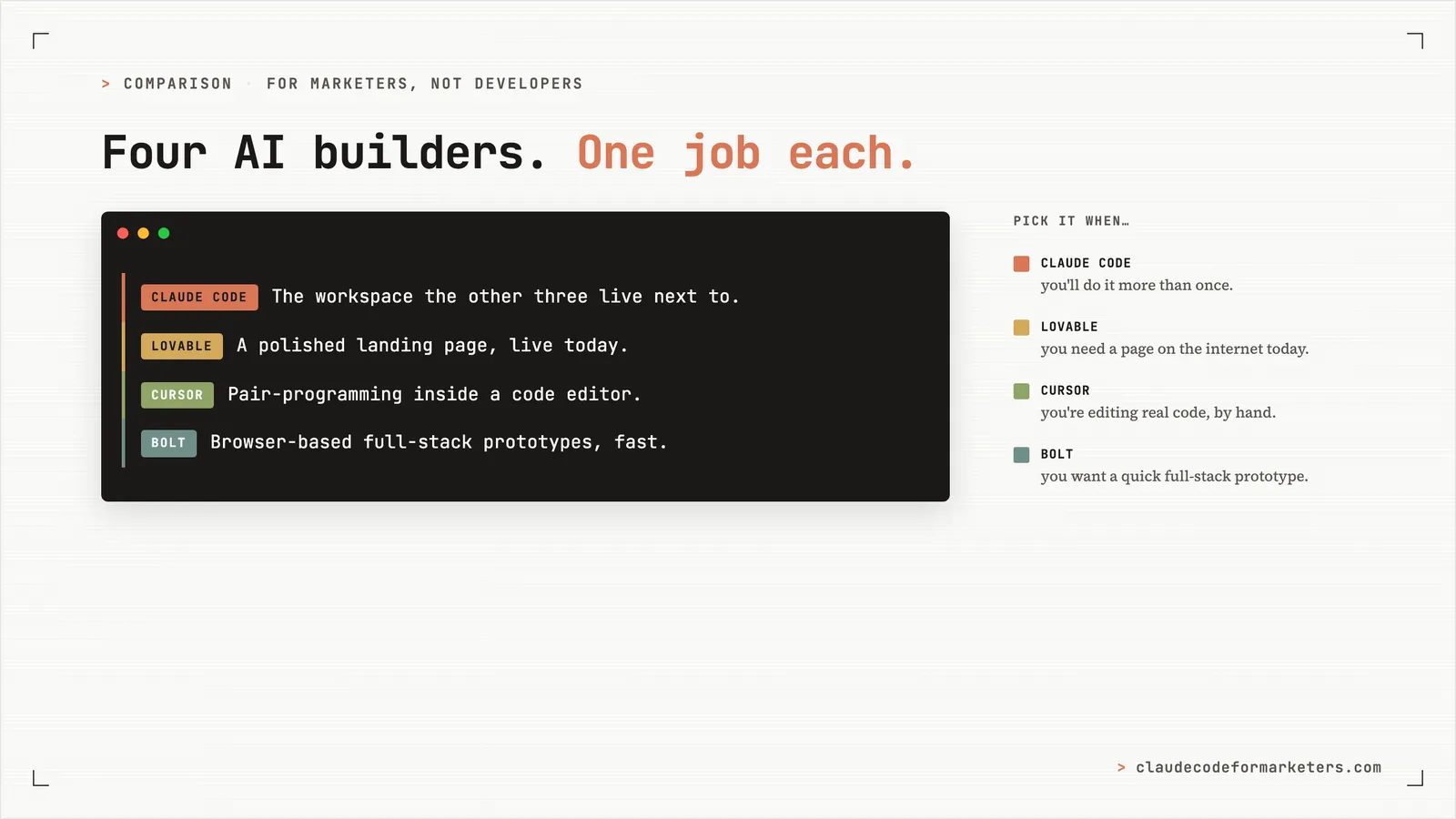
The one-line version: Claude Code owns your whole stack. The other three are tools for specific jobs. Claude Code is the workspace and operating system that those jobs live inside.
Claude Code is a terminal-based AI agent that lives in your project folder. You type plain English, and it reads your files, writes new ones, runs commands, calls APIs, and builds little reusable workflows called skills. The thing that took me a while to understand is that the unit of work isn’t a “prompt” the way it is in ChatGPT. The unit of work is a workspace, and that workspace remembers what you’ve done.
That’s the whole pitch, really. Claude Code’s sweet spot is anything you’ll do more than once, anything that should compound, anything where the real value is the system and not the single output. Things like turning every blog post I publish into an email broadcast with one command or pulling a weekly competitor digest, or editing my WordPress site without opening WordPress or building a landing page where I keep the files.
I’ll be straight about where it falls down, because it does. It is not the fastest way to get a polished hosted landing page onto the internet (Lovable wins that, easily). It is not a code editor for people who think in files and tabs (Cursor wins that). And the on-ramp is sometimes steeper than the browser tools.
But, if you’re the marketer who has run the “I built this thing once, and now I have to rebuild it every single week” loop a few times and is tired of it…if your work is recurring rather than one-off, then this is the tool for you.
Lovable
The one-line version: landing pages in 10 minutes. Nothing here beats it for that one job.
Lovable is a browser-based AI web builder where you describe what you want, and it generates a polished, hosted, working site. No terminal, no install, and no files to manage. The first time I used it, the thing that surprised me was the design quality of the very first output. It’s much closer to “a designer made this” than anything the other three hand you on the first try.
Its sweet spot is a polished landing page on the internet today. This might be a webinar page, event page, lead-magnet page, or the fast launch you needed yesterday. If your next 48 hours include “I need a landing page” then this is your pick.
All credit to Lovable, they now offer a clean one-click ZIP download of your project, plus genuine two-way GitHub sync, and what you get is a standard Vite, React, and Tailwind app with the folder structure intact, so you’re never trapped inside their tool.
The real limitation is the ceiling. The further your needs drift from “a polished page” toward something specific (a page that has to live inside your existing CMS, slot into a larger funnel, or match a brand system you’ve already built elsewhere), the more you find yourself working around Lovable instead of with it. It’s brilliant inside its lane and increasingly effortful outside it.
Cursor
The one-line version: pair-programming with an AI inside a code editor. Best when you already know your way around a codebase, and its newer agent features make it more interesting for non-developers than it used to be.
Cursor is a fork of the popular code editor VS Code, with AI autocomplete, chat that understands your project, and (more recently) agent modes that can do multi-file work on their own. It’s a code editor first, with the AI layered on top.
Its sweet spot is editing an existing codebase. If someone hands you a finished website and says “change the copy on the pricing page and add a testimonials section,” Cursor is genuinely excellent. The AI suggests a change inline, you accept or reject it, and that back-and-forth is the cleanest version of that experience among these four tools.
The development worth flagging is agent mode, especially if you checked Cursor out a while ago and wrote it off. It’s now generally available rather than a beta experiment, and the background agents (renamed Cloud Agents) spin up isolated cloud machines, run your tests, and hand you back finished, merge-ready changes, with up to eight of them able to work a single request in parallel. That pushes Cursor a lot closer to Claude Code’s “describe what you want, then let it run” model. The gap between the two is narrower than it was six months ago.
Where it falls down for our crowd is that the unit of work in Cursor is still files and lines of code. You need to be able to read the code well enough to know whether to accept a change. If what you actually want is to hand off the whole task and trust the result, Claude Code’s task-as-the-unit model fits a marketer’s brain better.
Who picks it: marketers who are already comfortable in a code editor and want AI inside the environment they live in, or anyone who’s inherited a real codebase and needs to make surgical edits to it.
Bolt
The one-line version: browser-based full-stack prototyping, fast. But it’s the more technical of the two browser builders, and it tends to hit a wall on the last stretch of any real project.
I’ve used Bolt less than the other three, so this section leans more on what people are consistently reporting through 2026 than on my own daily experience. I’d rather tell you that than fake a confidence I don’t have.
Bolt is a browser-based AI app builder. It runs entirely in your browser, with no install and no terminal. As of 2026 it added Bolt Cloud, which bundles in databases, authentication, file storage, and hosting, so it now pitches itself as a full-stack platform rather than just a code generator. Its sweet spot is momentum: idea to visible, working product, fast. Prototypes, lightweight internal tools, validating an MVP. One example reviewers keep citing is a non-developer building a working e-commerce site with Stripe checkout in plain English, and the speed to a first result really is impressive.
The comparison most marketers will reach for is Bolt versus Lovable, so here it is. The consensus is consistent: Lovable feels like a product builder (conversation plus a live preview, the code there if you want it but not in your face), while Bolt feels like a cloud code editor (a file tree, an editor, and a preview all in one window). Bolt is faster, but it assumes more technical comfort. For a pure non-developer, Lovable wins the comfort fight. Bolt wins when you can read code well enough to nudge it.
Now the part you need to hear before you commit a week to it, what reviewers call the “70% wall.” Bolt is excellent at the first 70% of a build. The last 30% (the nuanced debugging, the subtle integration bugs, the stuff that needs stable iteration) is where it gets painful. The specific patterns come up again and again:
- Small changes break other things. This is the single most common complaint. A layout tweak can break logic three components away, and integrations that work in the preview break after you deploy.
- Destructive bug-fixing. When it tries to fix an error, Bolt sometimes rewrites entire files instead of making a targeted change, and breaks code that was working.
- The token math gets ugly fast. Error loops compound. People report burning 3 to 8 million tokens on a single authentication bug as the AI fails to fix it over and over. The free tier (300K tokens a day) gets you maybe 30 to 60 minutes of active prompting; a serious build hits the cap inside a week.
So here’s the honest placement. If Lovable is the marketer’s no-code-feeling tool and Cursor is the developer’s code editor, Bolt sits in the middle: full-stack power without Lovable’s polish, an editor feel without Cursor’s depth. It’s the right pick for a narrow band of people. For most marketers, Lovable or Claude Code does the job better.
How to pick
If you just want the answer, here it is in four lines.
- Pick Lovable when you need a polished landing page on the internet today.
- Pick Cursor when you’re editing an existing codebase and want AI autocomplete inside a real editor.
- Pick Bolt when you want a browser-based full-stack prototype (forms plus a database plus auth), you’re fine with a cloud-editor feel, and you can read enough code to nudge it past its rough edges. For a pure non-developer, Lovable is the friendlier browser pick.
- Pick Claude Code for everything else: anything you’ll do more than once, anything that should compound, anything that should leave behind files, skills, or workflows you own.
My honest take
This is where the bias I disclosed up top finally cashes in, so let me argue the strong version.
All four of these tools are good at what they do, and none of them is going anywhere. But for a marketer’s full job, not one task but the whole job stretched across a year, Claude Code does the most.
The reason is simple, and it’s the thing the other three can’t easily copy. Lovable, Cursor, and Bolt give you a great first result. Claude Code gives you a better tenth, hundredth, and thousandth result, because every session leaves behind files, skills, and context that the next session builds on. The longer you use it, the wider that gap gets.
There’s an asymmetry worth naming, too. A marketer who builds their stack around Claude Code can absorb Lovable, Cursor, and Bolt as specialty tools whenever a job genuinely calls for one. The reverse doesn’t really work. A Lovable-first marketer can’t easily absorb Claude Code’s recurring-work superpowers without changing how they work day to day.
The other three are tools. Claude Code is the operating system those tools live next to.
Want to feel the part that compounds?
If “a workspace that compounds” is the idea that landed for you, the fastest way to actually feel it is the free 7-day email course. One short email a day, each one a real thing you can do with Claude Code as a marketer, no coding background assumed. By the end of the week you’ll have a setup that’s already saving you time.
Drop your email below and I’ll send you the first lesson.
Join 190+ marketers who have gone through the free 7-day email course and learn how to use Claude Code for your marketing work and get notified when we publish new use cases and ways to stay ahead of the curve.
No spam. Unsubscribe anytime.
"I watched Keanan work magic with Claude [Code] in the terminal. My brain: 'It's far too technical!' 'Dark mode? Not for me!' ...I shipped 4 things in my first month."
 Sarah Sherman Community Builder at Retool